
On this page
01Prepare a small batch
Export the records from your existing platform as CSV. Keep a copy of the original. Start with a small batch so you can check the column mapping and totals before importing the rest.
Finance import supports clients, suppliers, invoices, payments, credit notes, bills and quotes. The current integration is a CSV migration; it does not continuously sync with Xero or other accounting platforms.
02Preview before importing
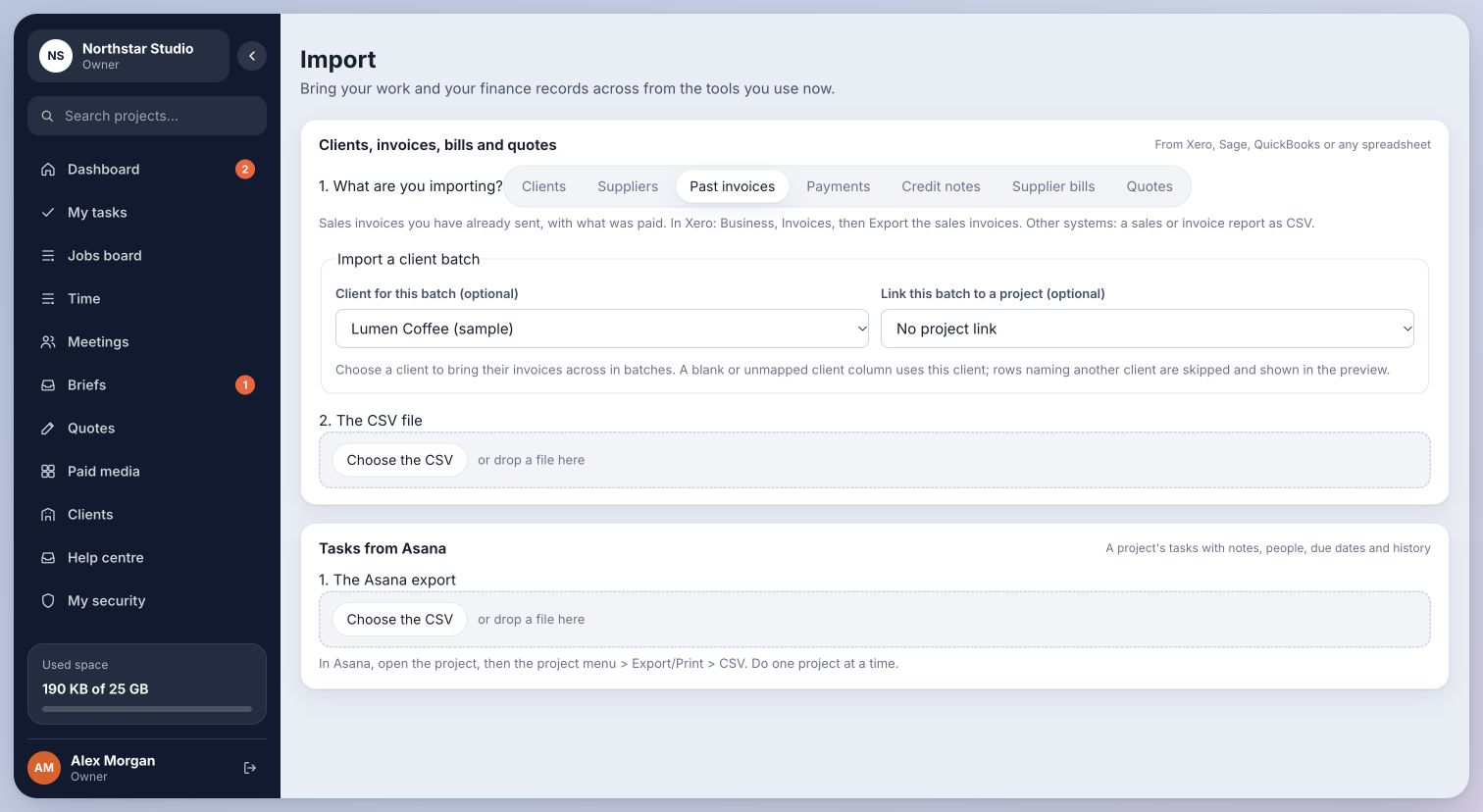
- Open Import and use Clients, invoices, bills and quotes. Choose the type of record.
- For an invoice or bill batch, choose the client for that batch. This lets you work through one client at a time.
- Choose your CSV file, map its columns and inspect the preview. Check record counts, references, client allocation, dates, amounts and any warnings.
- Fix rejected rows or mapping problems before confirming the import. Check the resulting records in Billing or the relevant supplier records before uploading the next client’s batch.
03Keep a migration checklist
Use Migration to track what you have brought across. Importing the same file again can create conflicts; check the preview and existing references rather than repeatedly confirming an import.
Live Xero and Asana connections are planned separately. Do not assume changing a record in the source platform will update this CSV import.
Each reviewed batch is assigned to the intended client and can be checked before you move to the next.
Last checked . Your role and plan determine which actions you see.