
On this page
01Create an invoice
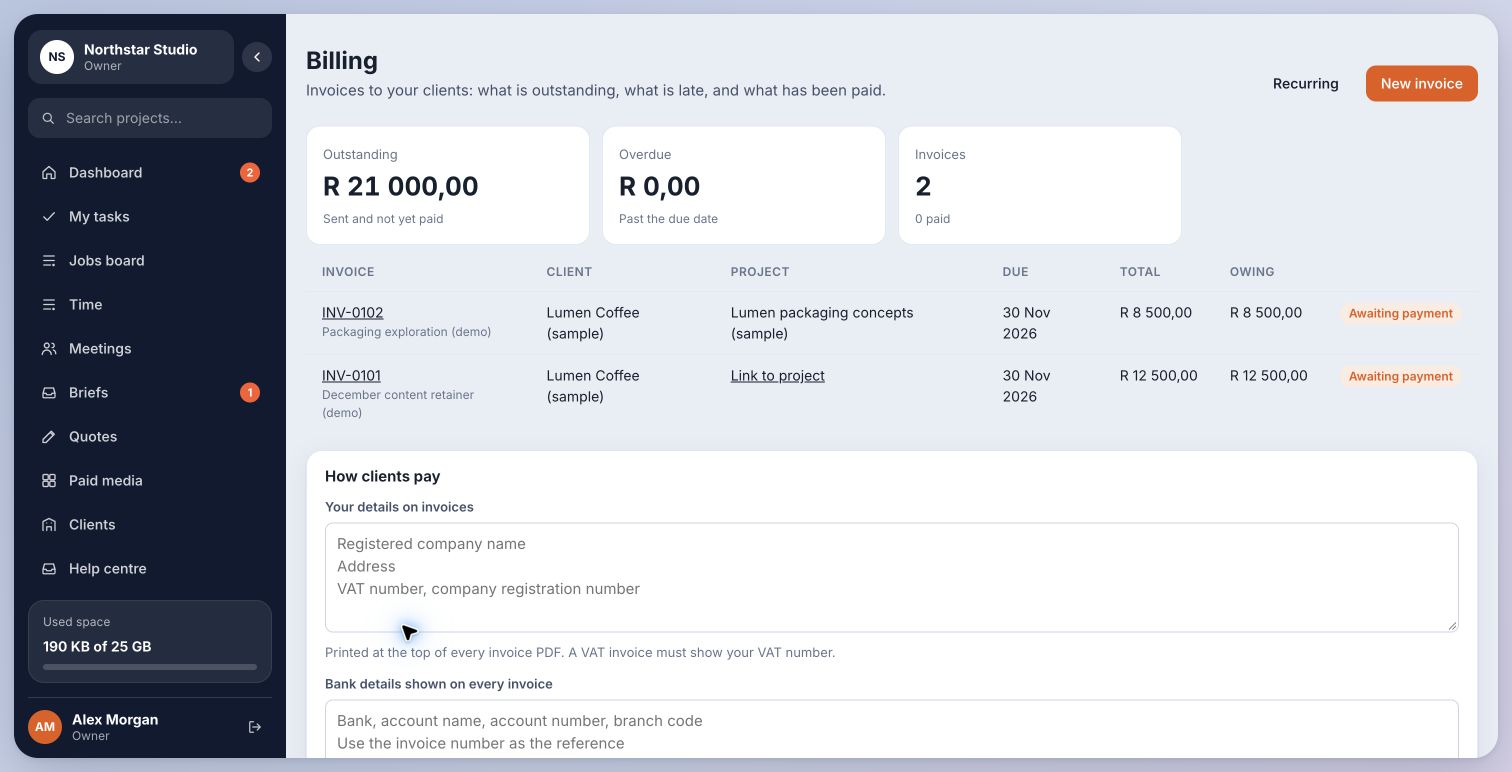
- Open Billing and choose New invoice.
- Select the client, add the project where applicable and enter the invoice details and line items.
- Check dates, tax, totals and payment details before saving or sending. Sending an invoice is a separate deliberate action.
Inside Cmd.Ctrl · Demo workspace
02Connect an older invoice
Linking an invoice changes its project association. It does not record a payment or rewrite the invoice total. Check imported references before linking historical invoices.
- Find the invoice in Billing. If it has no project, choose Link to project.
- On the invoice, choose the intended project from the available list and save the link.
- Confirm the project shown on the invoice. Only projects that belong to the appropriate client are valid.
You’re in the right place when…
The invoice belongs to the correct client and project, so the work and its billing are easier to follow.
Last checked . Your role and plan determine which actions you see.