
On this page
01Check your current plan
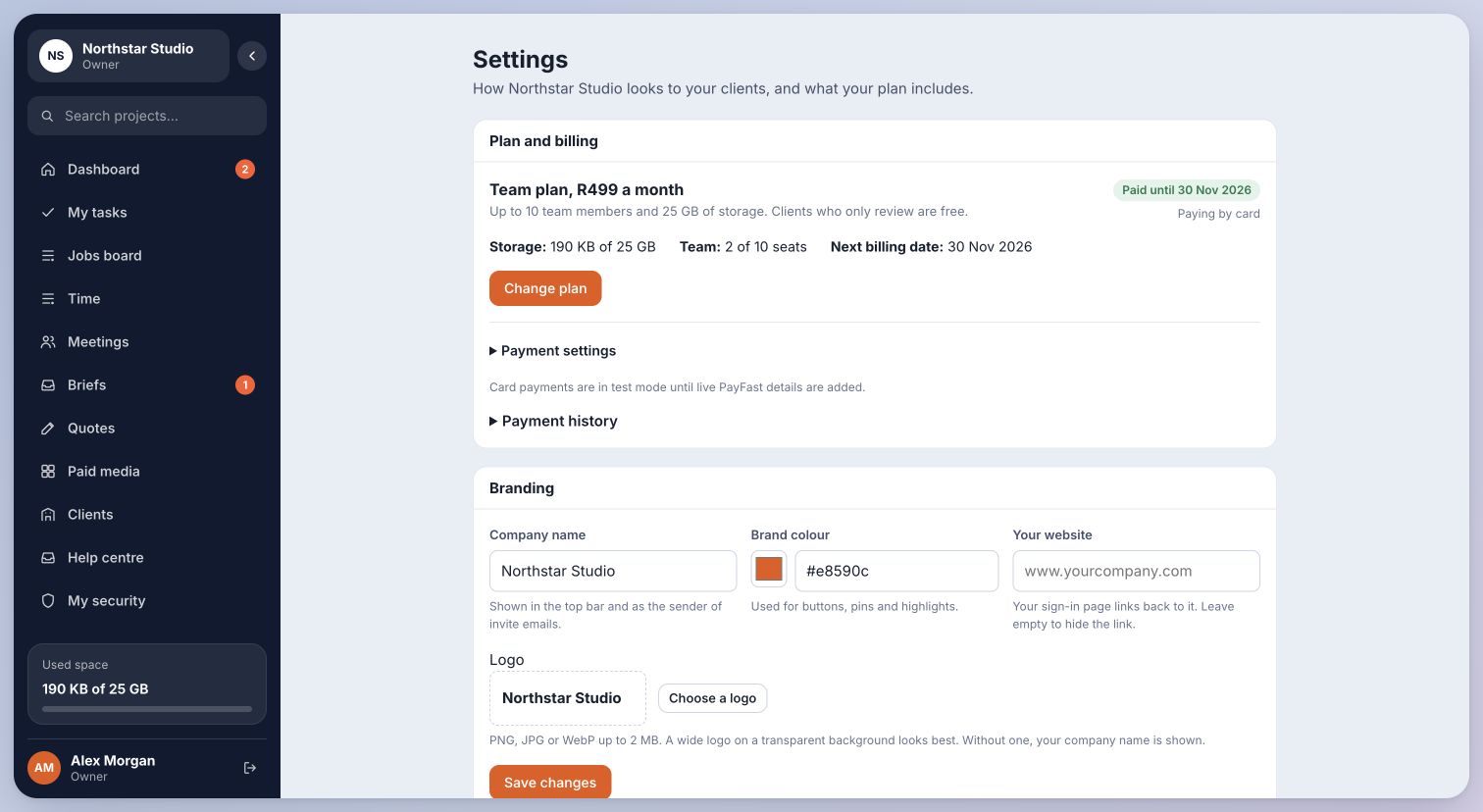
Open Settings → Plan and billing. The summary shows your plan, billing status, storage, team seats and billing date. Payment history and Payment settings expand only when you need them.
The Solo trial lasts seven days. R0 card verification requires a card; Solo renews at R99/month after the trial unless cancelled. Your actual first-payment date is shown in your account. Review the free trial terms before signing up.
02Change a plan
- Choose Change plan and select a tier and billing frequency. Expand Optional extras only if you need additional storage or seats.
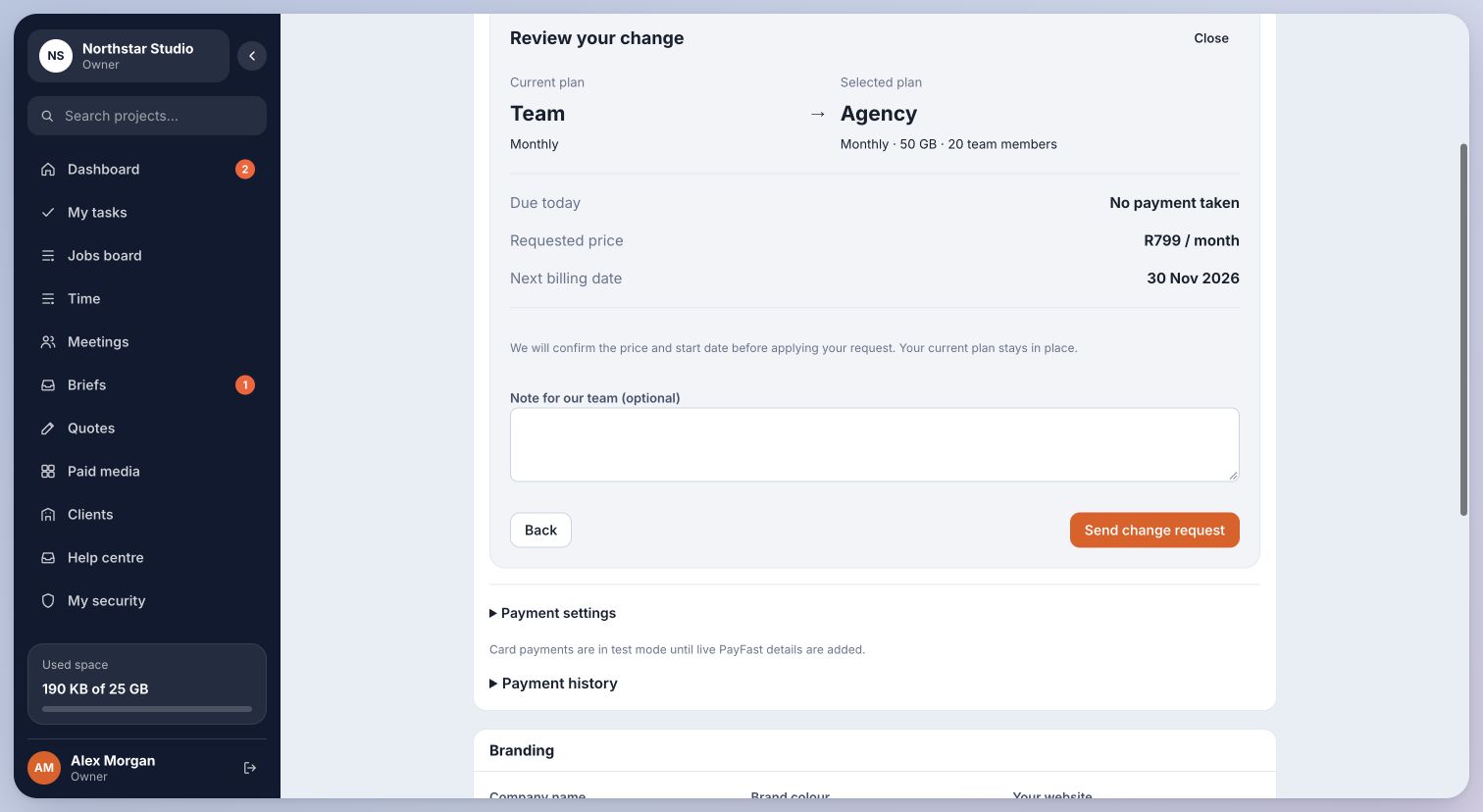
- Choose Review change. Check the current and selected plans, amount due today, next payment and date.
- Use the single confirmation action. If automatic changes are unavailable or the billing frequency needs assistance, Send change request asks the platform team to confirm the change. A request does not charge your card.
03Understand the timing
A paid upgrade may charge a pro-rata amount for the remaining paid period. A downgrade is normally scheduled for the next payment. During an active trial, an eligible plan change takes effect without charging today; the first recurring payment changes to the chosen plan’s price.
Existing customers cannot apply new promo codes when changing plans. An agreed discount is shown read-only for its remaining eligible months.
Open Payment settings to stop card payments where available. Your paid period remains available until it ends. A cancelled trial remains available until its end date. If card management is unavailable, contact the platform team rather than assuming a cancellation succeeded.
You know your current limits and can review the cost and timing before confirming a change.
Last checked . Your role and plan determine which actions you see.