
On this page
01Invite a colleague
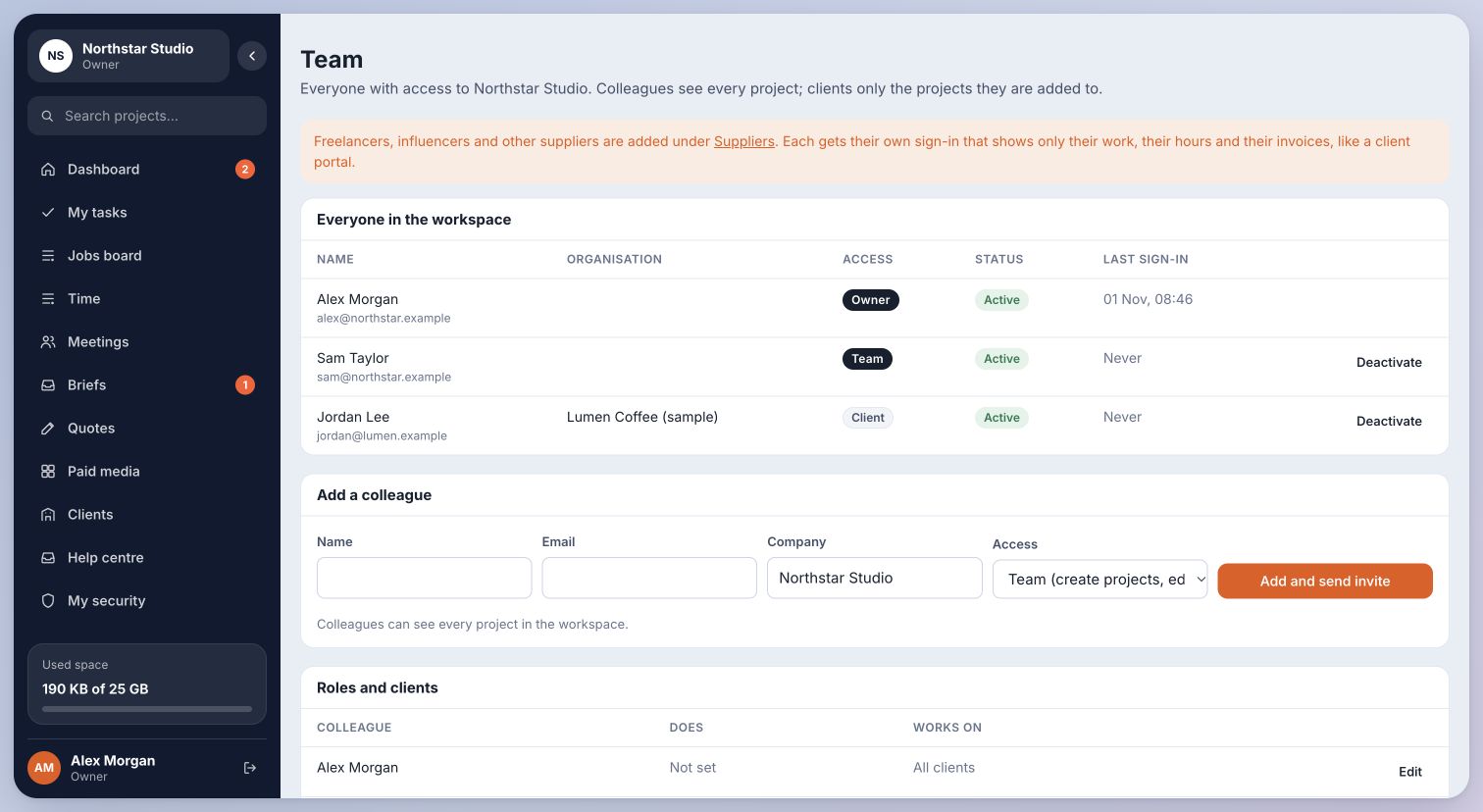
- Open Team. Enter the person’s name and email address in Add a colleague.
- Choose the appropriate role and send the invitation. Ask the person to use the newest invitation email.
- Check the list to confirm the intended role and active status.
Inside Cmd.Ctrl · Demo workspace
02Invite clients and suppliers separately
Client reviewers belong to a client record. Open Clients, open the client and add their people there. Review access is limited by the client and the work shared with them. Client reviewers do not use team seats.
Freelancers and other suppliers belong under Suppliers. Do not add a client or supplier as a team member just to let them review a piece of work. Owners and team members use paid team seats.
You’re in the right place when…
People can access the work appropriate to their role.
Last checked . Your role and plan determine which actions you see.